> For the complete documentation index, see [llms.txt](https://docs.mindee.com/llms.txt). Markdown versions of documentation pages are available by appending `.md` to page URLs; this page is available as [Markdown](https://docs.mindee.com/extraction-models/no-code-integration/make.com-scenarios.md).
# make.com Scenarios
Integrating Mindee in make.com scenarios.
{% hint style="info" %}
Only use the verified [**Mindee V2 app**](https://www.make.com/en/integrations/mindee).
Community apps only work for Mindee V1.
{% endhint %}
## Before You Start
When integrating Mindee using Make you'll need a file input module.
This includes, but is not limited to:
* email
* drive providers: Google Drive, MS OneDrive, DropBox, etc
* remote servers: URL/HTTP, S3, FTP, etc
* chat: Slack, Discord, etc
In the Make documentation, take a look at the section: [Working with files](https://help.make.com/working-with-files)
## Add Mindee to a Make.com Scenario
You can use the Mindee app in any make.com scenario.
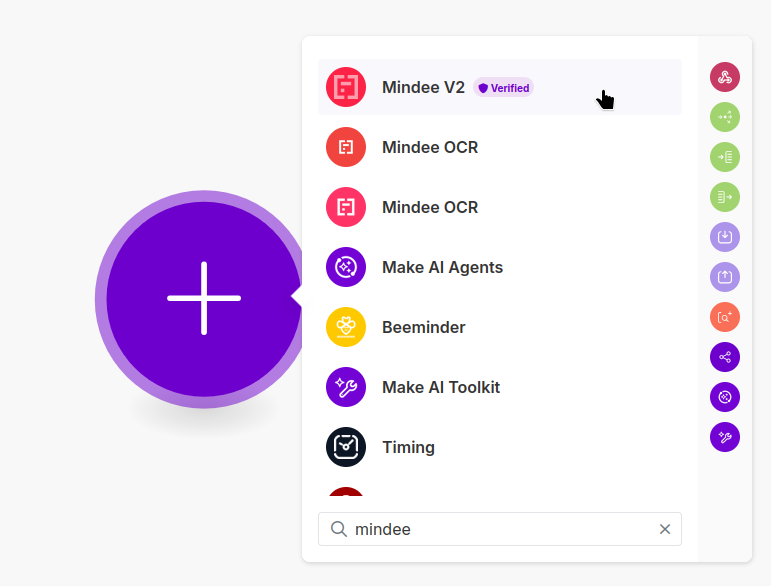
When adding a module, search for "mindee" and select **Mindee V2** verified:
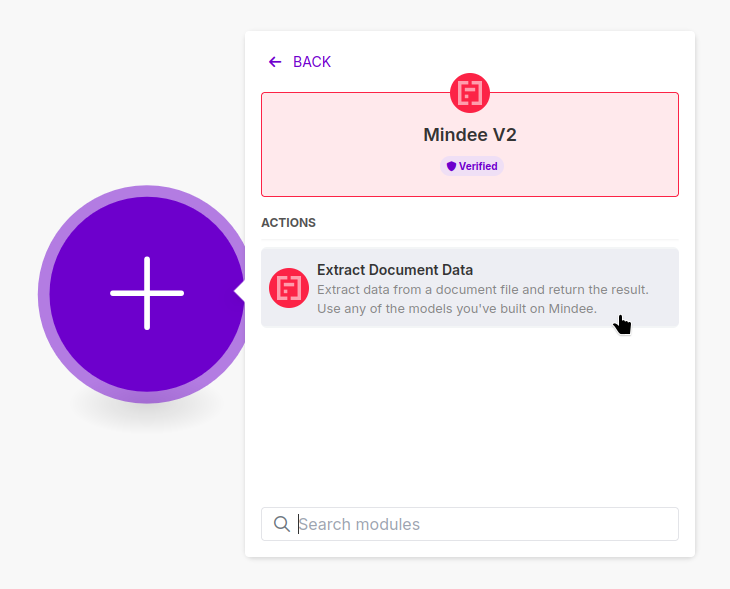
Next, choose the "Extract Document Data" action:
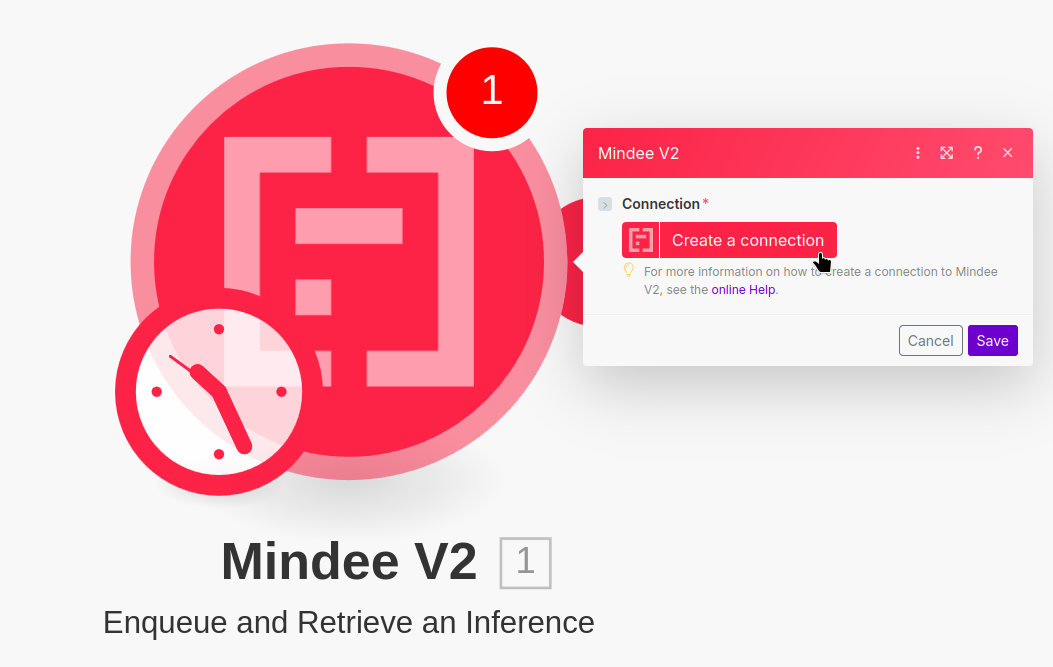
Once you have the "Extract Document Data" module in your scenario, you'll need to connect it to one of your [Manage API Keys](/integrations/api-keys.md).
For this, click on the "Create a connection" button:
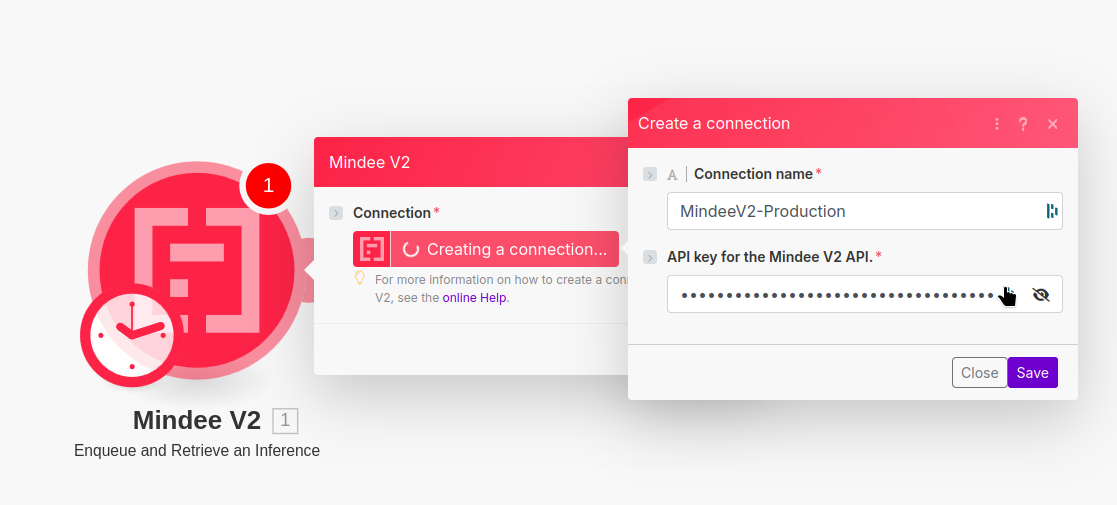
In the Create a connection dialog box, fill in the following information:
* A name for your connection, it should be in the format: `MindeeV2-` + your API key's name
* your [Mindee V2 API key](/integrations/api-keys.md#key-creation)
Finish by clicking "Save".
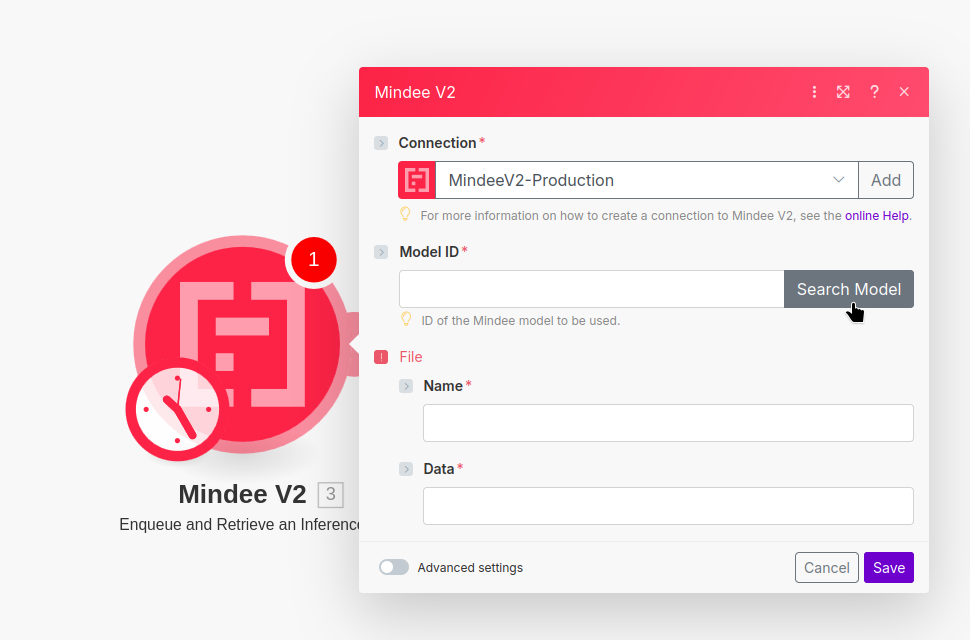
Now you can specify which model to use. For this click on "Search Model":
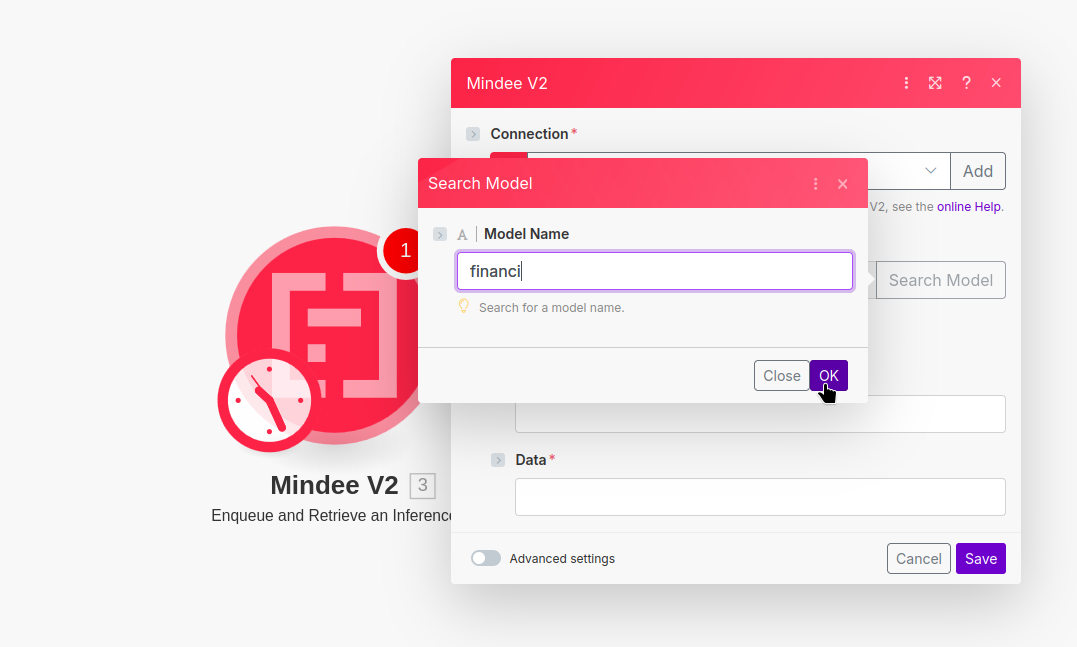
In the dialog window, you'll be able to enter a search string.
Enter in the name of the model you want to use and click "OK".
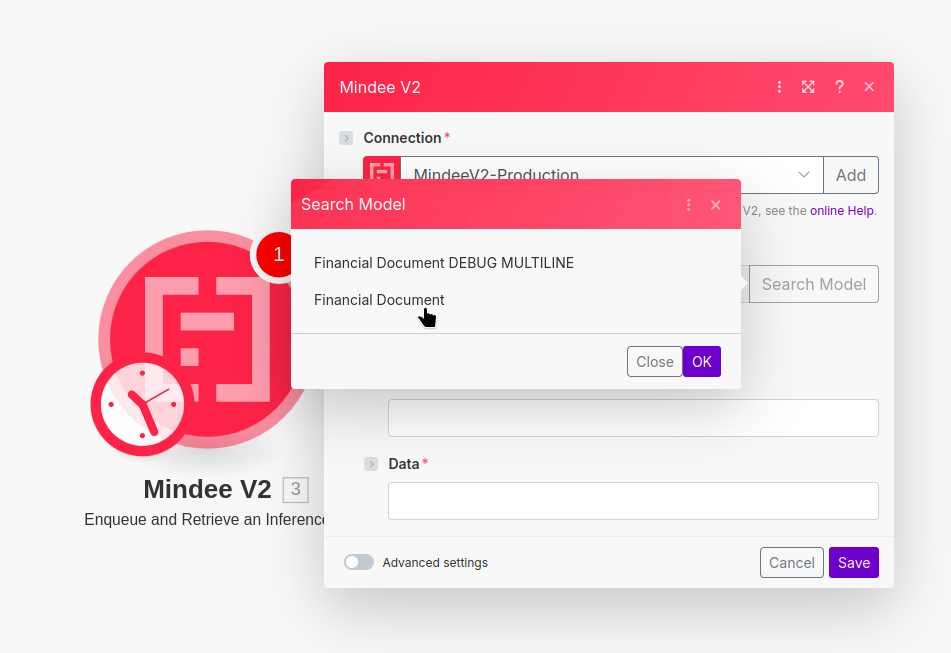
If there is only one match to your search term, the model ID will be added.
If there are several matches to your search, choose the correct one from the list:
{% hint style="success" %}
**That's it, you're done!** The Mindee V2 module is now ready to accept connections.
{% endhint %}
Click on "Save".
{% hint style="info" %}
**Do not fill in the "File" information in the Mindee V2 module.**
This is done automatically by connecting an appropriate module.
{% endhint %}
## Next Steps
Now that you have Mindee integrated, you can use the results in any Make action.
Some example workflows:
* Save the raw structured data (JSON) to a drive like Google Drive or MS OneDrive
* Map fields to a table format like CSV, MS Excel, or Google Sheets
* Use extracted fields to fill in:
* CRMs like Salesforce or HubSpot
* online documents like Notion, MS Word, or Google Docs
* etc
---
# Agent Instructions
This documentation is published with GitBook. GitBook is the documentation platform designed so that both humans and AI agents can read, navigate, and reason over technical content effectively. Learn more at gitbook.com.
## Querying This Documentation
If you need additional information that is not directly available in this page, you can query the documentation dynamically by asking a question.
Perform an HTTP GET request on the current page URL with the `ask` query parameter, and the optional `goal` query parameter:
```
GET https://docs.mindee.com/extraction-models/no-code-integration/make.com-scenarios.md?ask=&goal=
```
`ask` is the immediate question: it should be specific, self-contained, and written in natural language.
`goal` is optional and describes the broader end goal you are ultimately trying to accomplish on behalf of the user. GitBook uses it to tailor the answer towards what is most useful for that goal.
The response will contain a direct answer to the question and relevant excerpts and sources from the documentation.
Use this mechanism when the answer is not explicitly present in the current page, you need clarification or additional context, or you want to retrieve related documentation sections.